 English
 русский
 عربى
عربى Español
Qinlang focuses on providing high-quality products and considerate services, and is committed to meeting every expectation of our customers.
The DKT-133 Cooling Ventilation Double Inlet Air Conditioning Fan is d...
See Details
Open the back of a desktop computer, look at the exhaust vent in a bathroom ceiling, or stand near a large warehouse door on a hot day. The spinning blades moving air in a straight line all belong to the same family. An axial fan works like a propeller. Air enters from one side, gets pushed by the rotating blades, and exits from the other side. The air keeps moving in roughly the same direction from entry to exit.
The blades carry the real responsibility for how well the fan works. Some have a flat surface that pushes air directly, like a paddle wheel. Others curve forward or backward, like the blades on a modern aircraft propeller. The pitch angle, meaning the amount each blade twists from the centre to the tip, determines how aggressively the fan grabs the air. A steeper pitch pulls in more air with each rotation but demands more power from the motor. A shallower pitch moves less air but keeps the motor load lower.
Walk through any building and count the axial fans in view. They cool servers in data centres, pull cooking fumes out of restaurant kitchens, ventilate greenhouse tunnels, and dry freshly painted car bodies in workshops. The basic design stays the same across all those uses, but the specific requirements change completely from one installation to the next.
A fan rated for a certain airflow on a test bench often fails to deliver that same airflow once installed. The rating assumes free air conditions, meaning nothing blocks the inlet or outlet. Real installations rarely match that ideal. A louver on the exhaust side, a filter on the intake, or a long duct run all create resistance that reduces the airflow.
The mismatch between rated performance and actual performance wastes energy and creates frustration. A bathroom exhaust fan chosen purely by cubic feet per minute rating may move only half that amount when installed with flex duct and a restrictive grille. The room stays humid and the homeowner wonders why the fan does not work. The problem was never the fan itself. The problem was selecting it without considering the resistance it would face.
System resistance determines how a fan behaves. Air flowing through any restriction loses pressure. The fan must produce enough pressure to overcome that loss and still deliver the required volume. Selecting a fan involves matching the fan's pressure-flow curve to the system's resistance curve. Where they intersect, the fan delivers what the system needs. Without that match, efficiency drops and energy goes to waste.
Think about the cooling fan in a laptop computer. The space available for the fan measures only a few millimetres thick. The processor generates heat that must move away quickly. A large, slow-turning fan could move the required air volume, but the laptop has no room for large blades. The solution comes from spinning a small fan at high speed. The air velocity through the small opening increases, and the heat gets carried away despite the size constraint.
High speed axial fans show up wherever space limits the fan diameter but the cooling demand remains high. Server racks with dense processor configurations rely on them. Automotive engine compartments, packed with components, use them for radiator cooling. Compact portable air movers, used for drying floors or ventilating small spaces, spin at elevated speeds to generate useful airflow from a small package.
A High Speed Axial Fan running in a compact space does the job that no larger fan could do. The speed makes the airflow possible. The trade-off shows up in other areas. The whine from a laptop fan spinning at full speed becomes noticeable in a quiet room. The battery drain increases when the fan runs faster. The service life of the fan may fall short of the laptop's useful life, requiring repair or replacement before the computer itself wears out.
A fan spinning at high speed emits a tone that draws attention. The blade passing frequency, the rate at which blades sweep past a fixed point, lands in a range the human ear picks up clearly. The sound carries a sharp, penetrating quality that makes it hard to ignore. A High Speed Axial Fan running in an office environment will be noticed, and not in a positive way.
The relationship between speed and noise follows a steep curve. Increasing the rotation rate by a small percentage raises the noise output by a larger percentage. A fan that sounds acceptable at moderate speed becomes irritating at high speed. The energy that does not go into moving air goes into sound and heat, both forms of waste.
Consider a small blower used by flooring installers to dry adhesive. The high speed axial fan inside that blower dries floors quickly. The installer benefits from the fast drying time. The homeowner endures the noise during the process. The application accepts the noise because the speed serves the primary need. In other settings, like a bedroom ventilation fan, that same noise level would be unacceptable.
Manufacturers design fans for quiet operation through several methods. More blades move air with less pressure variation per blade. A fan with seven blades running at the same speed as a fan with three blades produces a smoother airflow with fewer pressure pulses. The sound output drops, and the remaining sound carries a softer character.
The blade shape changes as well. A flat blade pushes air directly but generates a wake that creates noise. A curved or swept blade guides the air more gradually, reducing the turbulence at the trailing edge. The noise shifts from a sharp tone to a broader hiss that the ear finds less intrusive. People notice a hissing fan less than a whining fan, even at the same overall sound level.
Mounting isolation reduces the noise reaching the listener. Rubber grommets between the fan and the mounting frame block vibration from travelling through the structure. A fan that vibrates against its housing amplifies the sound. The same fan isolated properly produces much less perceived noise. Many fans marketed as quiet include these isolation features as part of the assembly.
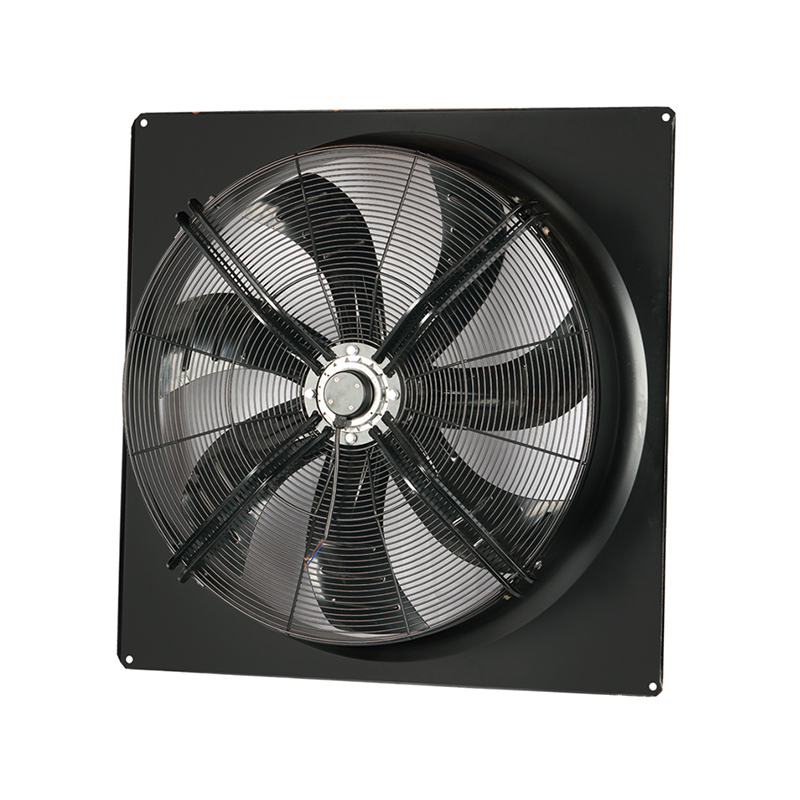
Stand in a home office with a computer that runs warm. The axial fan inside the power supply spins up as the processor works harder. The user notices the sound and may check the temperature reading. The fan selection made by the computer manufacturer balanced cooling needs against acceptable noise levels. A high speed axial fan keeps the components cool. A low noise axial fan would keep the office quieter but may allow temperatures to climb. The user who selected the computer based on price rather than noise may not have considered the fan inside.
Walk into a greenhouse on a sunny afternoon. The ventilation fans spin at moderate speed, drawing fresh air through the plant canopy. Low noise matters less here than reliability and airflow volume. The plants do not care about the sound. The grower cares about air movement across the leaves. A standard axial fan at moderate speed delivers what the plants need without the added cost and complexity of a high-speed or low-noise design.
Stand beside a rooftop HVAC unit on a commercial building. Multiple axial fans move air through condensers and heat exchangers. The selection for this application considered both airflow and energy consumption. The fans run continuously for years. A slightly more efficient fan pays for itself through lower electricity bills over that time. The installation location away from occupied spaces places less emphasis on noise. The selection process here favours a different balance than the office computer or the greenhouse.
Stand in front of any axial fan and look at the blades. The shape tells a story about how the fan will perform. A fan with wide blades and shallow pitch moves large volumes of air at low speed. The airflow feels gentle and spread out. A fan with narrow blades and steep pitch pushes air with more force but less volume. The airflow feels concentrated and fast.
The leading edge, the part of the blade that cuts into the air first, affects turbulence. A rounded leading edge allows air to flow smoothly over the blade surface. A sharp leading edge creates a wake that generates noise. The trailing edge, where air leaves the blade, matters just as much. A blade that tapers gradually at the trailing edge sheds vortices more quietly than one with a blunt end.
Blade count influences both efficiency and noise. More blades generally mean smoother airflow with less pressure pulsation. The noise shifts from a distinct tone to a broader frequency range, which the ear finds less noticeable. The trade-off comes in efficiency. More blades create more surface area for air friction, reducing the overall efficiency slightly. A fan with seven blades may run quieter but less efficiently than a fan with five blades at the same speed.
A fan that works well at sea level may struggle at high altitude. Air density drops as altitude increases. Thinner air means less mass moving through the fan with each rotation. The fan still moves the same volume of air, but the weight of that air is lower. Cooling systems that depend on air mass for heat removal need more airflow at altitude to achieve the same cooling effect.
Temperature changes air density too. Hot air weighs less than cold air. A fan moving hot air moves less mass than the same fan moving cold air. The motor sees the same load because the volume remains constant, but the cooling effect drops. This matters for exhaust fans in industrial processes where air temperatures run high, or for cooling fans in equipment that generates heat.
Moisture and dust enter the picture for many applications. A fan pulling humid air through a heat exchanger may deposit moisture on the blades. The added weight unbalances the fan and increases vibration. Dust accumulation on blades changes their aerodynamic profile. The fan still runs, but the airflow drops as the blade shape becomes less effective. Regular cleaning restores performance in dusty environments.
The same axial fan can perform very differently depending on how it gets mounted. A fan sitting in free air, with open space on both sides, moves the rated airflow. A fan mounted directly against a wall or a filter face sees reduced airflow because the inlet has become restricted. The fan still spins at the same speed, but the air cannot enter easily. The result is lower airflow and higher power consumption per unit of air moved.
Duct connections change the fan's operating point. A short, straight duct causes little resistance and has little effect on fan performance. A long duct with bends, transitions, or flexible sections adds resistance. The fan must produce higher pressure to maintain the same airflow. Moving to a larger fan or a higher speed provides that pressure, but at the cost of increased noise and power consumption.
Some common mistakes appear repeatedly in installations. Fitting a fan with a grille or guard that blocks a large portion of the inlet opening cuts airflow significantly. Installing a fan too close to a wall or corner restricts the inlet. Connecting a fan to undersized ductwork forces the fan to work harder. These installation issues often get misdiagnosed as fan problems, leading to unnecessary replacements.
A fan that spins freely and has clean blades runs at its rated efficiency. A fan with dirty blades, worn bearings, or loose mounting loses performance over time. The decline happens gradually, so operators often do not notice until the airflow drops below acceptable levels.
Cleaning the blades removes dust and debris that change the aerodynamic profile. The effect of even a thin layer of dust matters. A fan that moves air at 90% of its clean-blade performance has lost 10% of its efficiency without any mechanical failure. Regular cleaning, done safely with the power disconnected, restores that lost performance.
Bearings wear with time and use. A bearing that no longer spins freely creates drag that wastes energy and generates heat. The fan runs slower and draws more current than it should. Replacing worn bearings before they fail prevents damage to the motor and restores performance. The cost of bearing replacement is lower than the cost of a failed motor and the production downtime that follows.
| What to Look For | What It Might Mean | What to Do |
|---|---|---|
| Dust or debris on blades | Loss of aerodynamic efficiency | Clean blades carefully |
| Vibration during operation | Imbalance or worn bearings | Inspect bearings, balance blades |
| Increased noise | Bearing wear or blade damage | Check for worn parts, tighten mounting |
| Reduced airflow | Dirty blades or inlet blockage | Clean fan and clear inlet area |
| Higher power draw | Bearing drag or mechanical obstruction | Inspect and lubricate or replace bearings |
| Fan does not reach rated speed | Motor or electrical issue | Check connections and motor condition |
Choosing an axial fan for a specific application means making trade-offs. The same fan will not serve every purpose equally well. A fan selected for maximum efficiency runs at a specific speed for a specific system resistance. Changing either condition reduces the efficiency.
A fan selected for quiet operation sacrifices some airflow or efficiency. The added blades, the blade sweep, and the motor isolation all add cost. The quieter fan costs more to make than a standard fan of the same size. The added cost pays off in settings where noise matters. In settings where noise does not matter, the added cost buys no benefit.
The speed requirement comes last in the selection process for many applications. Start with the airflow volume needed, then consider the system resistance, then look at space constraints. The speed falls out of these factors rather than driving the decision. A fan that fits the space and overcomes the resistance at the required airflow will run at whatever speed those conditions demand. Selecting a fan based on speed first often leads to compromises in other areas.
A few practical steps help match the fan to the job:
The application determines which balance of speed, noise, and efficiency makes sense. A fan for a basement utility room, where noise goes unnoticed, can run at higher speed with simpler blades. A fan for a conference room ceiling, where occupants need quiet, requires a low-noise design even if it costs more. A fan for a continuous process, running day and night, needs efficiency over speed or noise because the energy cost accumulates. The selection made without considering these trade-offs wastes energy, creates complaints, or fails to deliver the required airflow. The selection made with them in mind delivers the performance the installation needs.
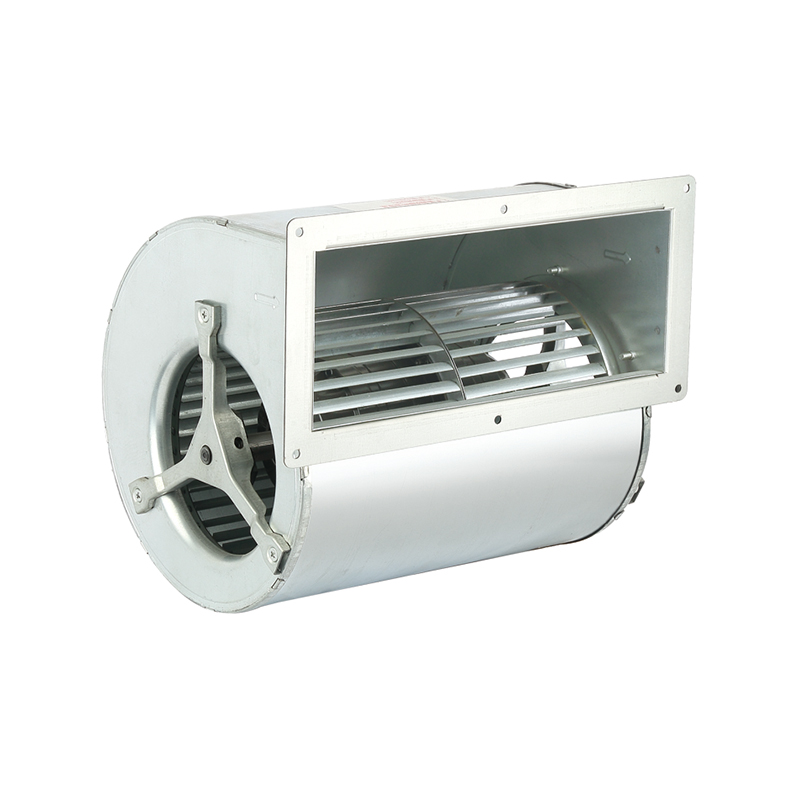
The DKT-133 Cooling Ventilation Double Inlet Air Conditioning Fan is d...
See Details
The DKT-146 Multi-Function Variable Frequency Double Inlet Air Conditi...
See Details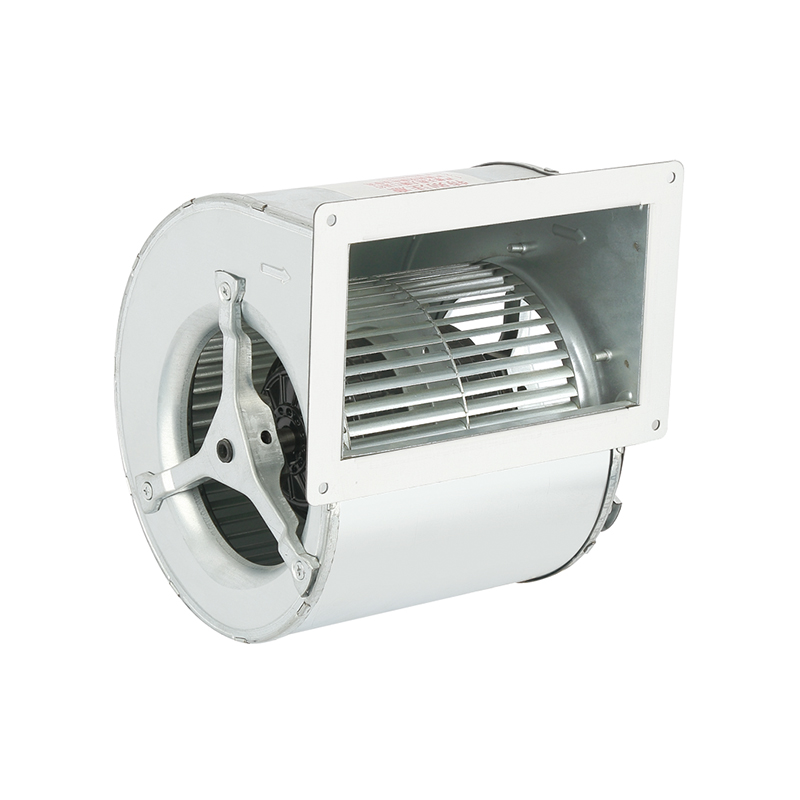
The DKT-160 Heat Dissipation Exhaust Double Inlet Air Conditioning Fan...
See Details
The DKT-180 Tilt Back Cool Down Double Inlet Air Conditioning Fan, a s...
See Details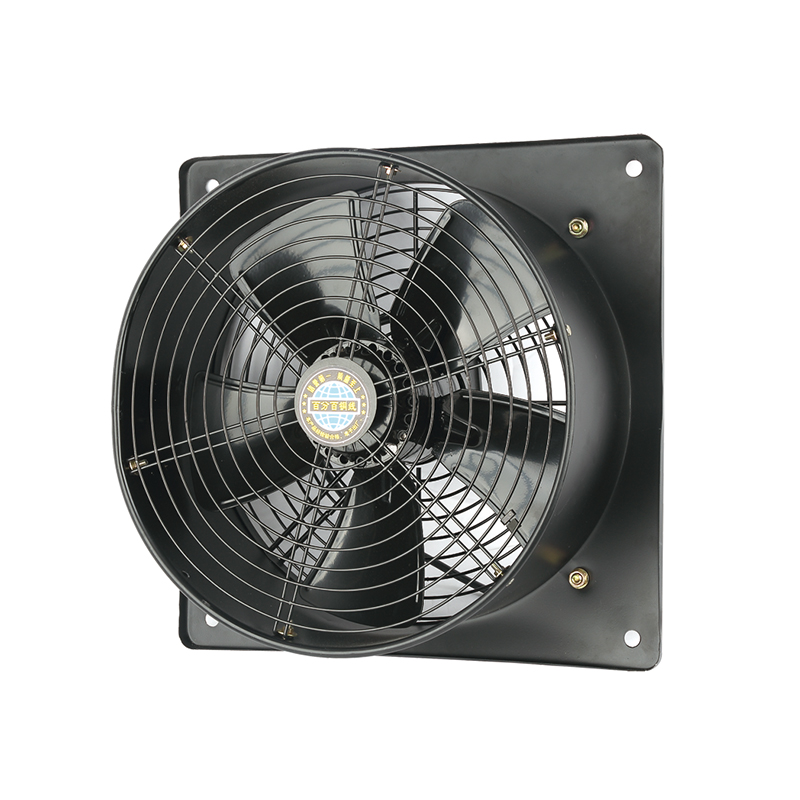
The YWF-400-2D2E Efficient Square form Axial fan is designed with a fo...
See Details
The YWF-350-2D2E Low noise Square form Axial Fan is designed with a co...
See Details
The YWF-350-4D4E Low vibration Square form Axial Fan is a outstanding ...
See Details
The YWF-400-4D4E Durable Square form Axial Fan is designed with advanc...
See Details
Qinlang focuses on providing high-quality products and considerate services, and is committed to meeting every expectation of our customers.
© Zhejiang Qinlang Electromechanical Co., Ltd.
Fans And Air-Cooling Equipment Factory
